Procore Drawings Subscribing
When you are using the Procore Drawings tool it can be useful to force-subscribe your active Trade Partners to it.
Subscribing to the Drawings tool means that those users will automatically receive a notification when a new Draw3ing/revision is published.
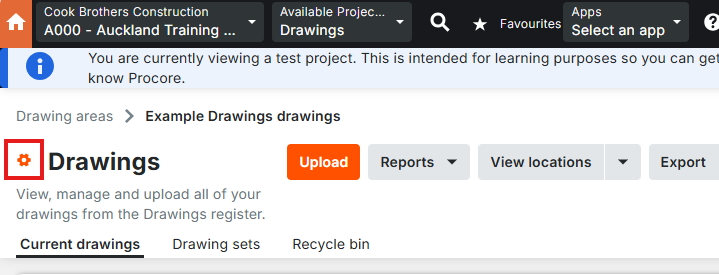
To do this, open the Drawings tool and click the settings icon.
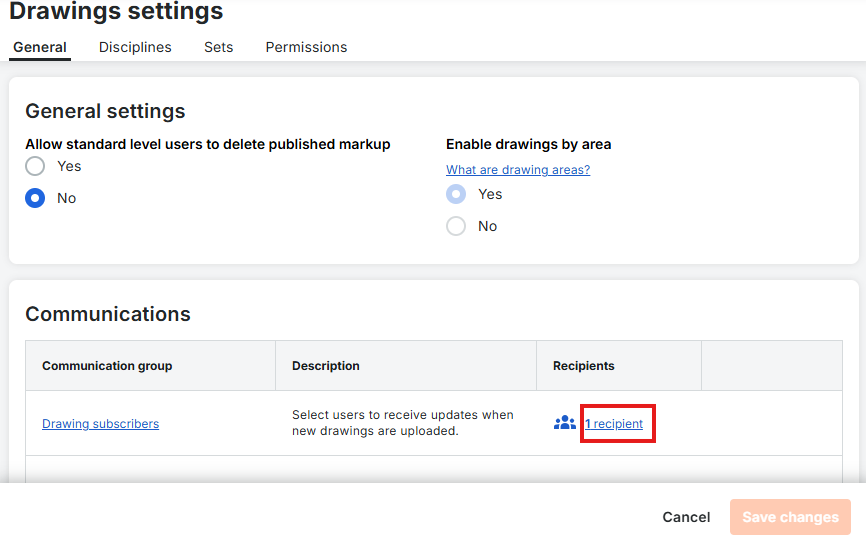
You will now see the general settings - scroll down and click on the recipients list for the Drawing Subscribers communication group.
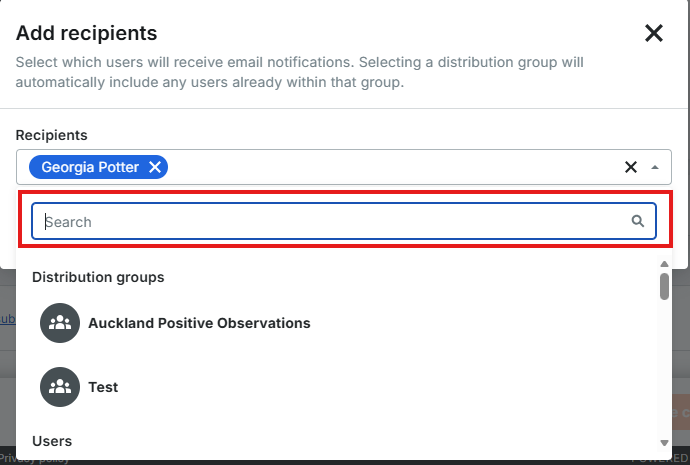
Now you can use the dropdown list to search and add as many users or Distribution Groups as you want.
When you have added who you want to the list make sure to click Save Changes at the bottom of the page.
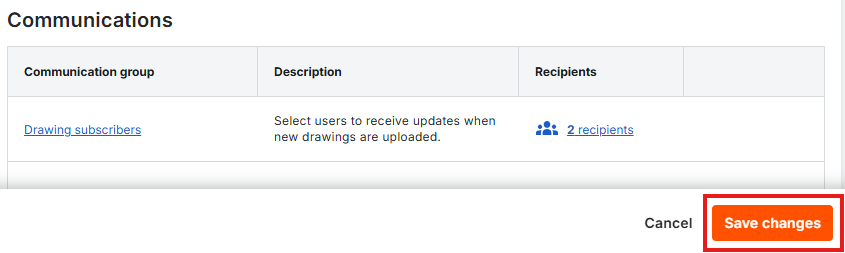
All of the users in the Drawing Subscribers recipient list will now receive email notifications when new drawings/revisions are published.
Was this article helpful?
That’s Great!
Thank you for your feedback
Sorry! We couldn't be helpful
Thank you for your feedback
Feedback sent
We appreciate your effort and will try to fix the article