Where Can I Find Go1?
Go1 is where you can access interactive training for the various systems and processes we use here at Cook Brothers.
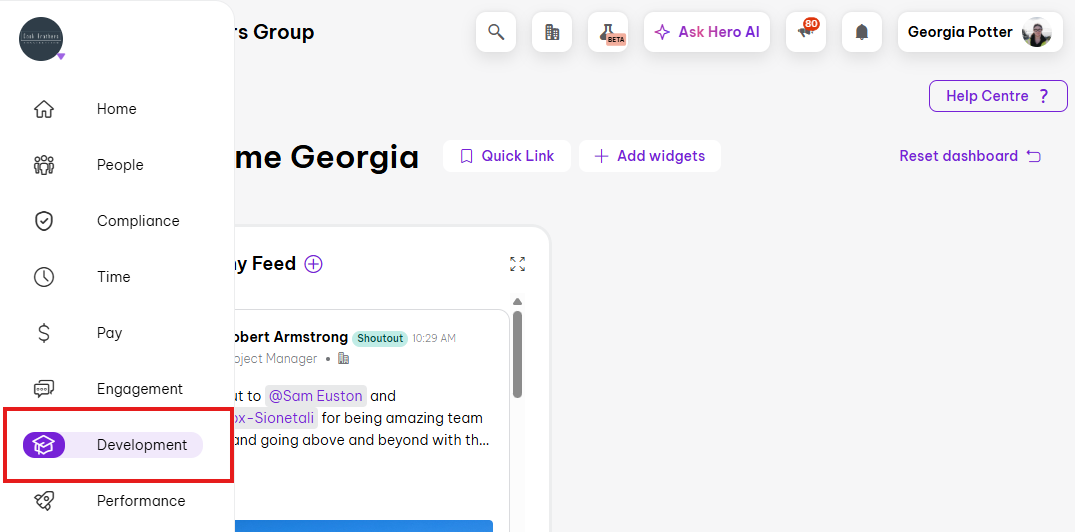
To start, open Employment Hero and select Development from the side menu:
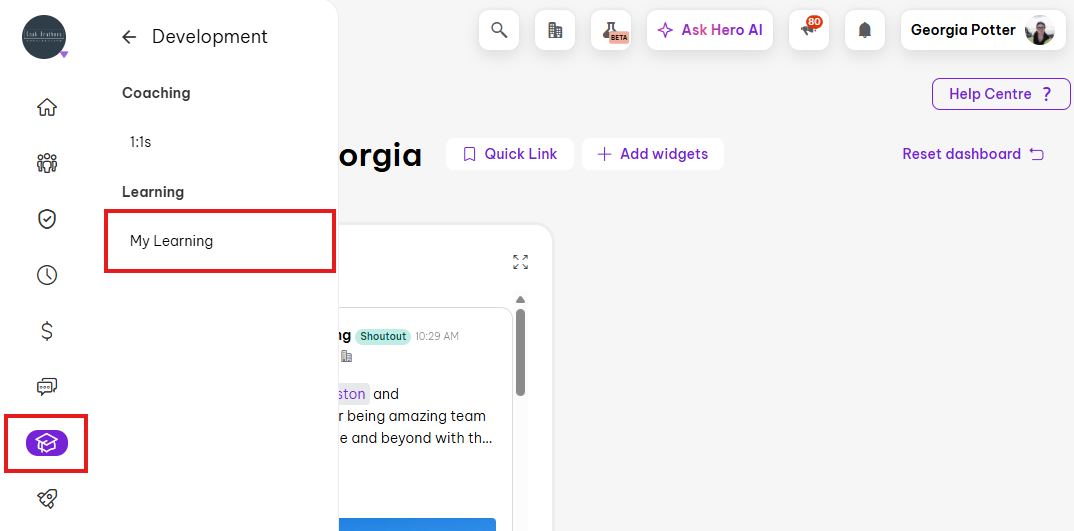
The select My Learning:
Any courses that have been assigned to you will be listed here - these are courses that you need to complete.
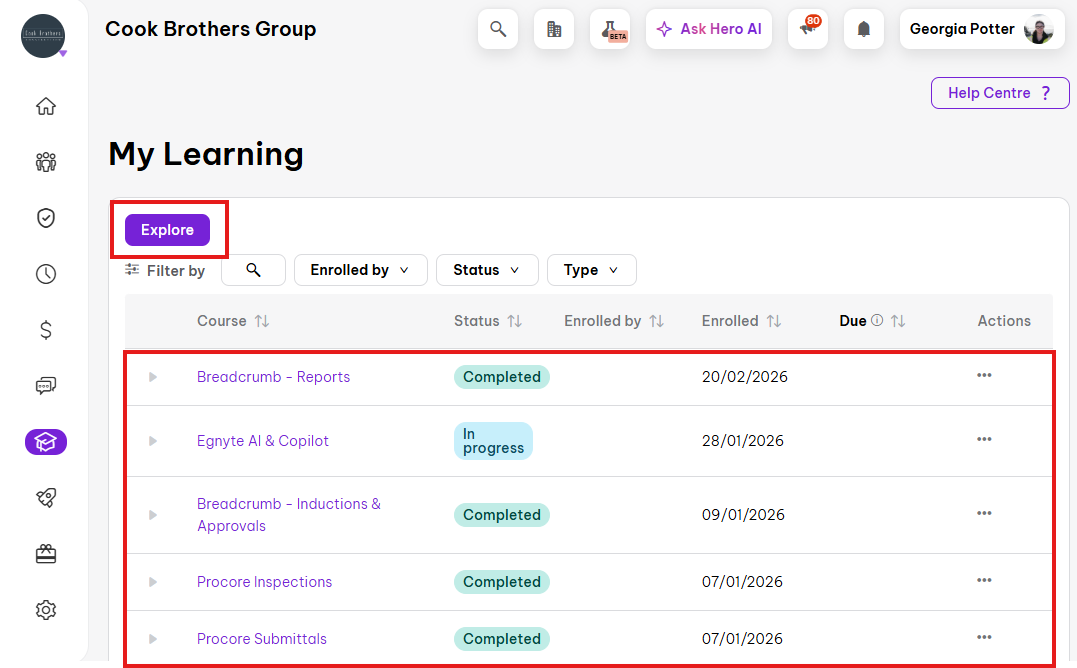 Optional courses can be accessed by clicking Explore at the top of the page.
Find a Course
When you click Explore you will be taken to the Go1 Content page - this is a list of all available courses that have been published for your use.
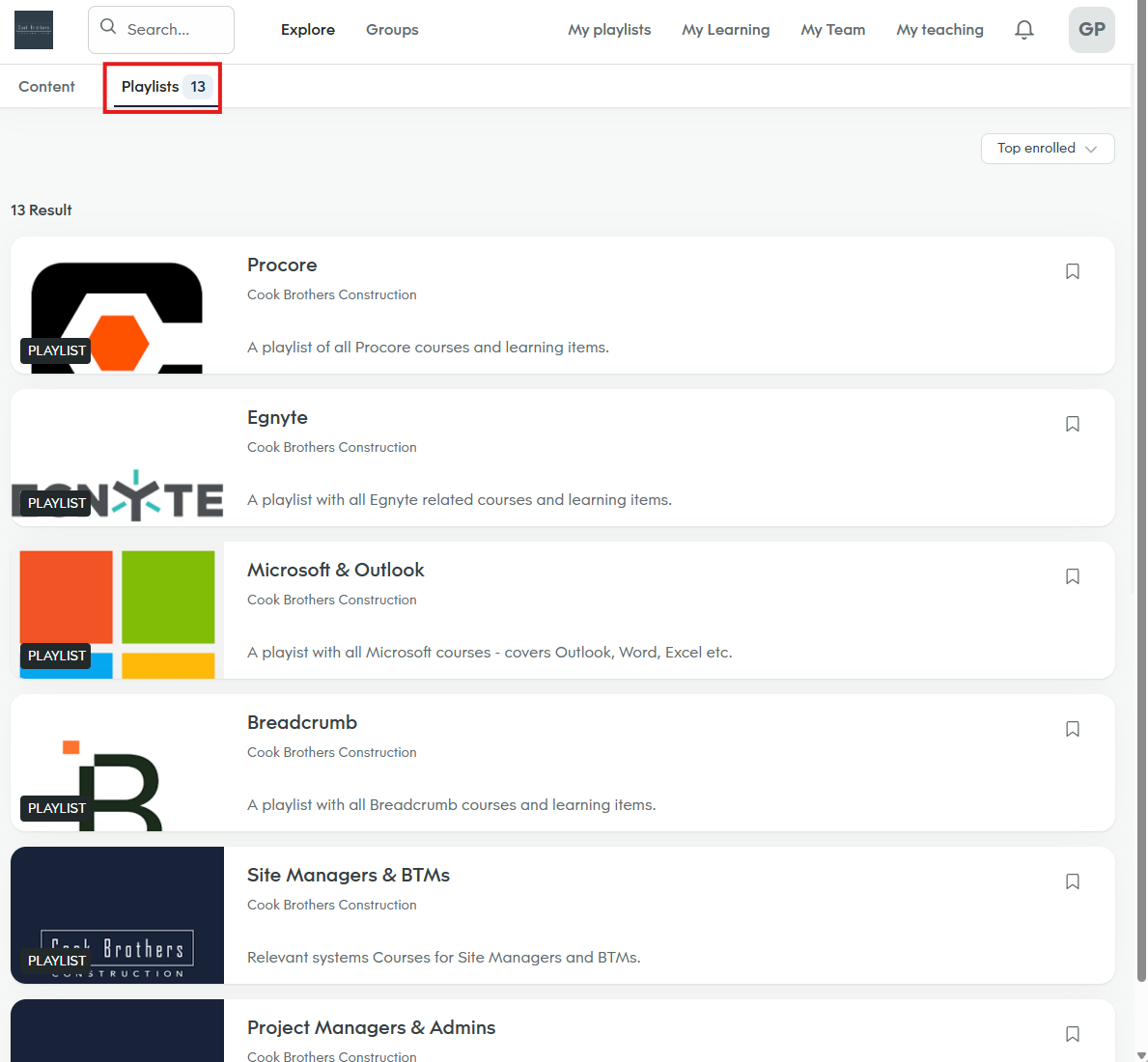
You can use the More Filters button to filter by course Tags to find what you need, or click to the Playlists tab at the top.
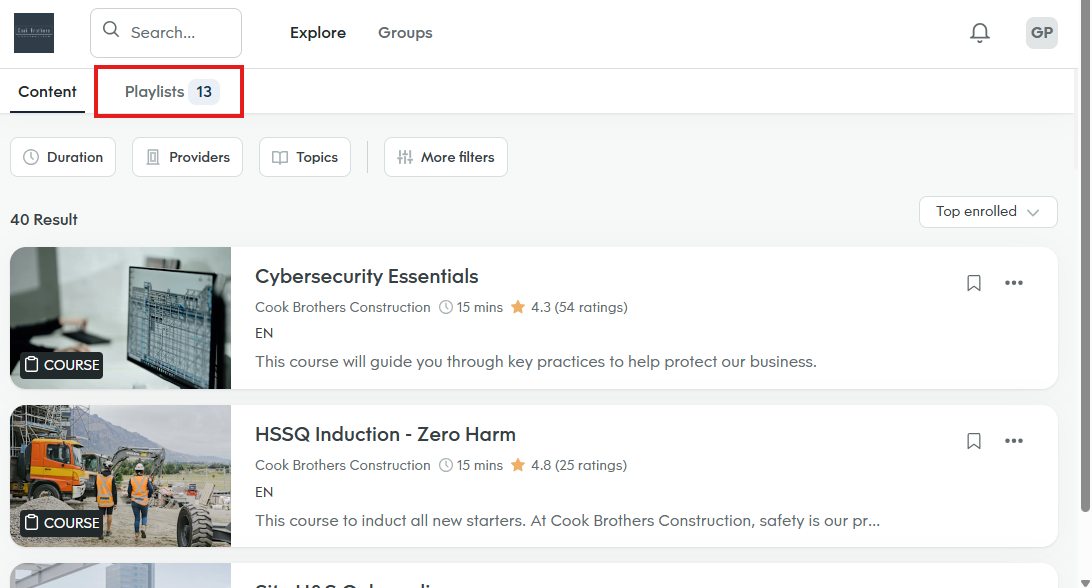
Here you can click on the relevant systems Playlist (i.e. click Procore to see all Procore courses), or on the relevant role Playlist (i.e. click Site Managers & BTMs to see all courses related to that role):
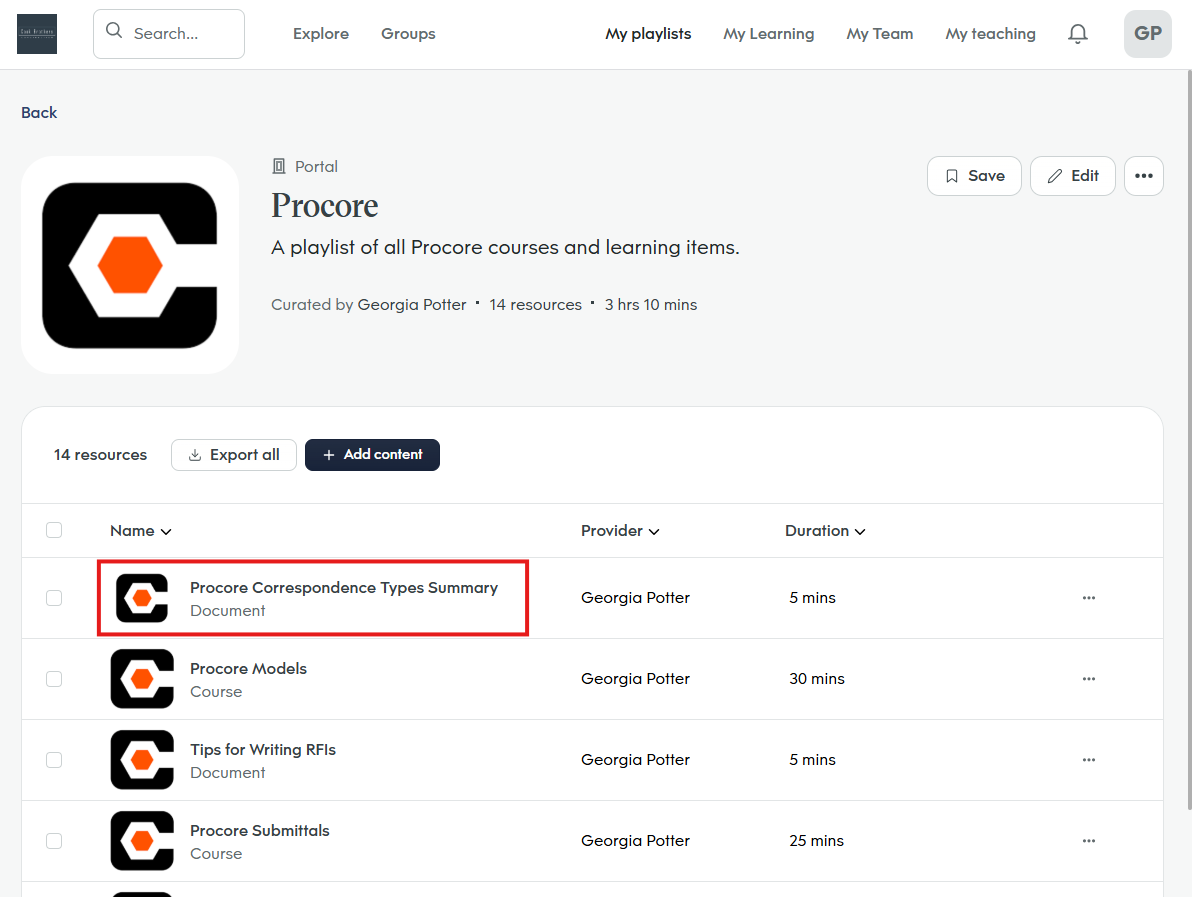
Click on a course name to view more information and start.
Your course progress will save as you go, so you can stop and come back later if needed.
If you have any questions or issues please submit a Helpdesk ticket or contact us at helpdesk@cookbrothers.co.nz
Was this article helpful?
That’s Great!
Thank you for your feedback
Sorry! We couldn't be helpful
Thank you for your feedback
Feedback sent
We appreciate your effort and will try to fix the article